Layer snippets
Gray Area mini-intensive, Spring 2026
These are all examples of functions that do the primary drawing routine for each frame.
Basic
Using inputs
These examples all use the potentiometer values to draw shapes with variable parameters.
Random glyphs
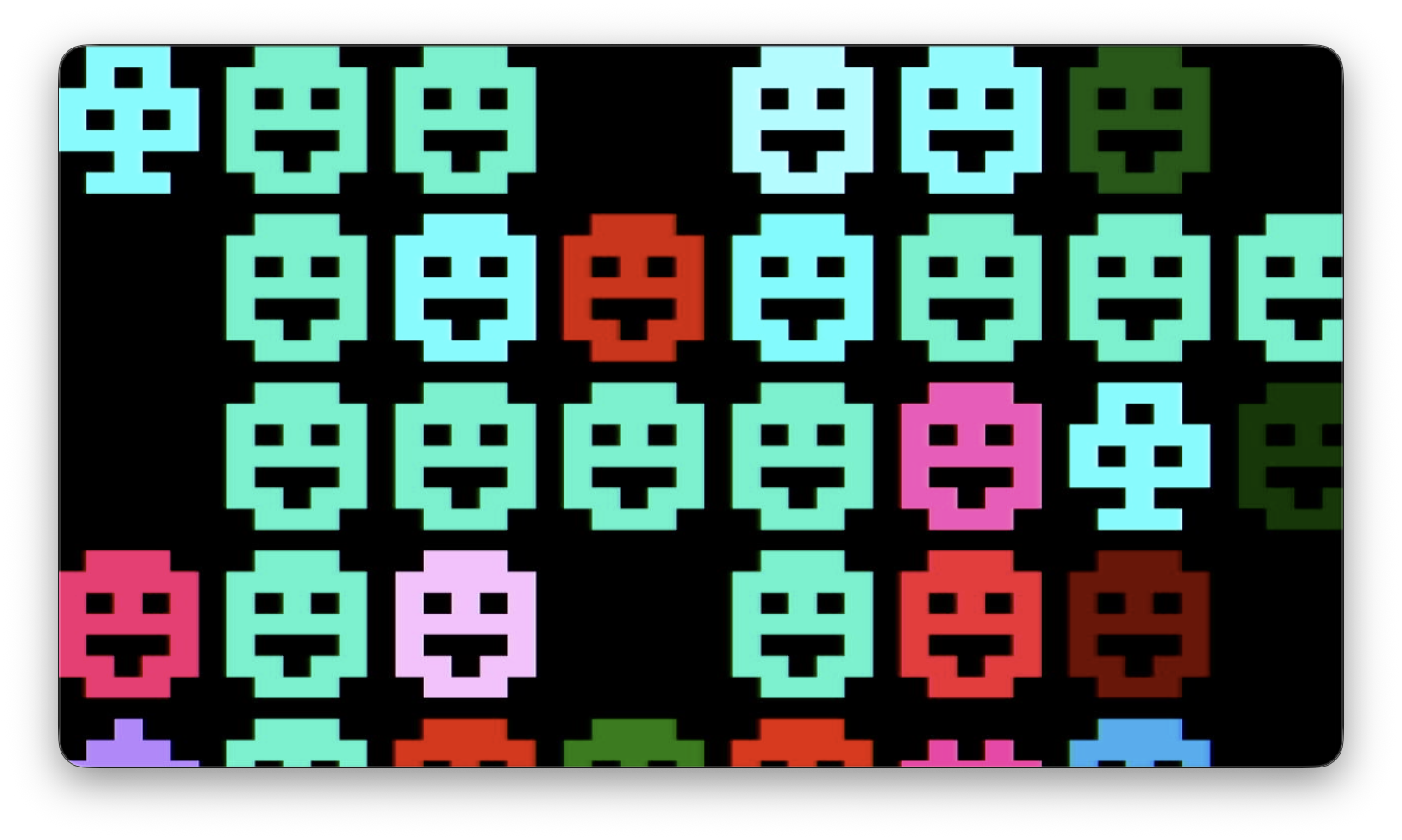
Draw random characters from the builtin bitmap font with controllable scale and color. Surprisingly fun imo!
void randomGlyphs() {
  display.setFont();

  int glyph = potMap(0, 1, 256);
  int num =   potMap(1, 1, 50);
  int size =  potMap(2, 1, 12);
  int color = potMap(3, 0, 256);

  for (int i = 0; i < num; i++) {
    int x = random(W) / (6 * size) * (6 * size);
    int y = random(H) / (8 * size) * (8 * size);
    display.drawChar(x, y, glyph, color, 0, size);
  }
}
Polygon grid
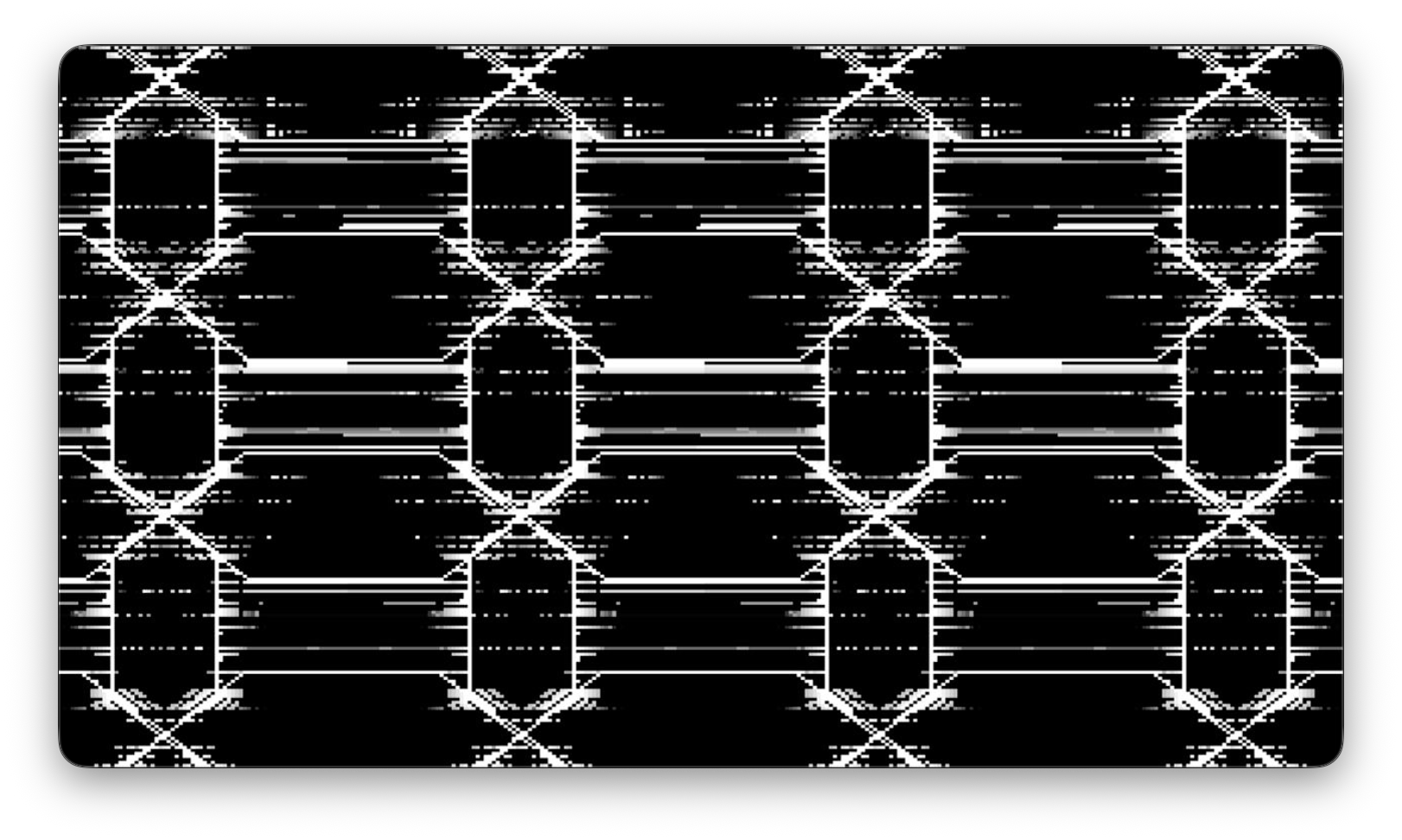
Overlapping polygons create abstract tiled patterns. Depends on the drawPolygon() helper function, so copy that in too! This screenshot is also using the cutFade() effect from the FX examples.
void polygonGrid() {
  // display.fillScreen(0);

  int r = potMap(0, 1, 150);
  int sides = potMap(1, 3, 20);
  float rotation = (float)potMap(2, 0, 359)/360.0;

  int rowSpacing = potMap(3, 40, HALFH);
  int colSpacing = potMap(3, 40, HALFW);
  int rows = H/rowSpacing;
  int cols = W/colSpacing;

  int c = floor(sineTime(2000, 0) * 255);

  for (int i = 0; i < rows; i++) {
    for (int j = 0; j < cols; j++) {
      int x = j * colSpacing;
      int y = i * rowSpacing;

      drawPolygon(HALFW + x, HALFH + y, r, sides, rotation, c);
      if (i > 0) {
        drawPolygon(HALFW + x, HALFH - y, r, sides, rotation, c);
      }
      if (j > 0) {
        drawPolygon(HALFW - x, HALFH + y, r, sides, rotation, c);
      }
      if (i > 0 && j > 0) {
        drawPolygon(HALFW - x, HALFH - y, r, sides, rotation, c);
      }
    }
  }
}

// Draw a regular polygon
void drawPolygon(int cx, int cy, int r, int sides, float rotation, int color) {
  int x0 = 0;
  int y0 = 0;
  int x1 = 0;
  int y1 = 0;

  float angle = rotation * TWO_PI; // rotation is 0-1
  float incrementalAngle = TWO_PI/sides;

  for (int i = 0; i < sides; i++) {
    x0 = int(cx + r * sin(angle));
    y0 = int(cy + r * cos(angle));
    x1 = int(cx + r * sin(angle + incrementalAngle));
    y1 = int(cy + r * cos(angle + incrementalAngle));

    display.drawLine(x0, y0, x1, y1, color);
    angle += incrementalAngle;
  }
}
Integrating time
These examples integrate time in different ways, all related to millis() in some fashion.
Twisting lines
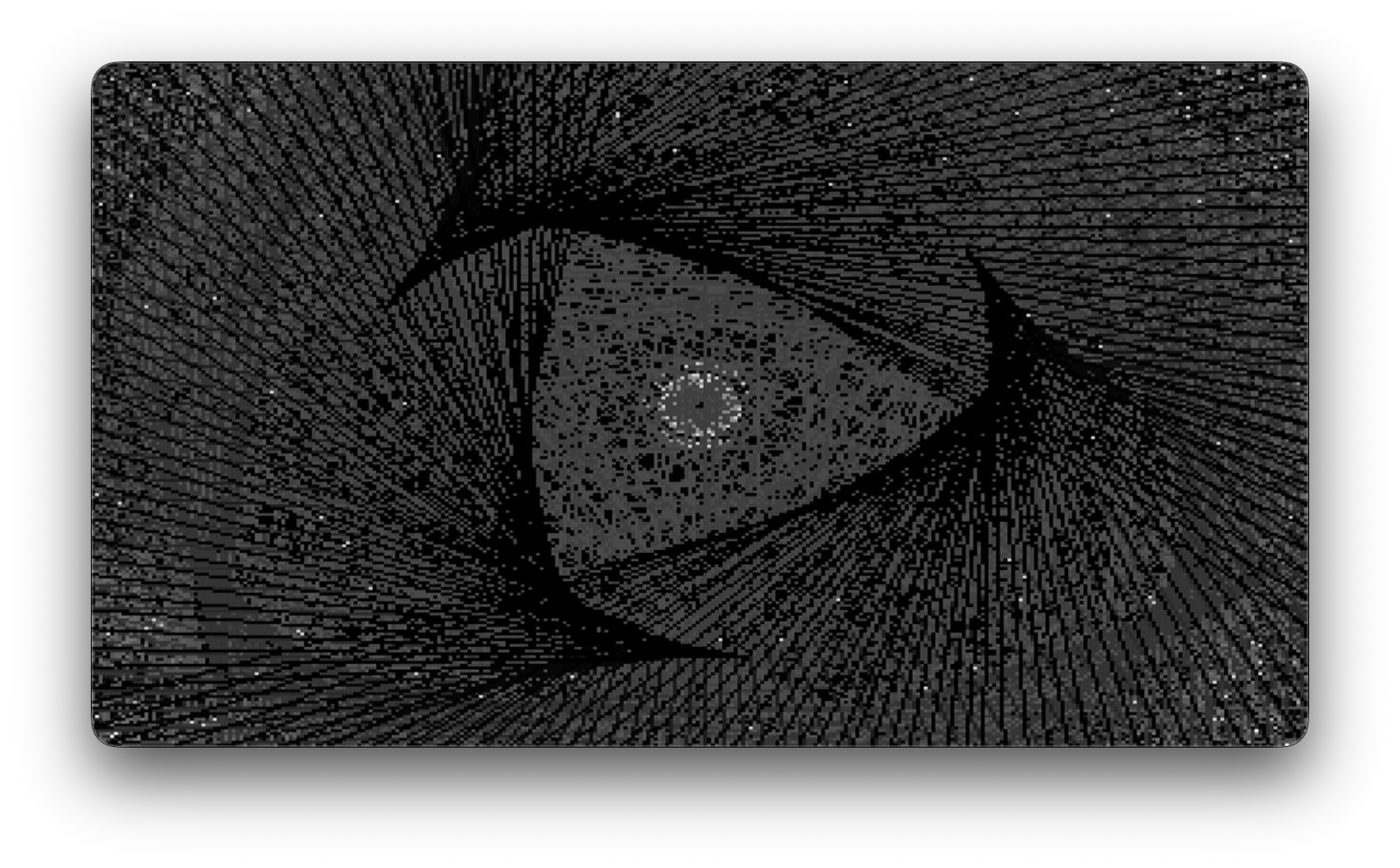
A number of lines are distributed around two circles, with some oscillation
void twistingLines() {
  int numLines = potMap(0, 1, 16) * 2 + 1;
  float angle = TWO_PI/(float)numLines;

  int r0 = potMap(1, 4, 200);
  int r1 = potMap(2, 4, 200);
  int c = potMap(3, 0, 256);

  // int period = cyclicalPotMap(3, 3, 0, 20, 1) * 500;
  int period = 5000;
  float rotationOffset = normalizedTime(period, 0) * TWO_PI;
  float phaseOffset = cyclicalPotMap(3, 2, 0, 0, 360)/360.0f * TWO_PI;

  for (int i = 0; i < numLines; i++) {
    int x0 = HALFW + floor(r0 * cos((i * angle) + rotationOffset));
    int y0 = HALFH + floor(r0 * sin((i * angle) + rotationOffset));

    int x1 = HALFW + floor(r1 * cos((i * angle) + rotationOffset + phaseOffset));
    int y1 = HALFH + floor(r1 * sin((i * angle) + rotationOffset + phaseOffset));

    display.drawLine(x0, y0, x1, y1, c);
  }
}
Wobbly lines
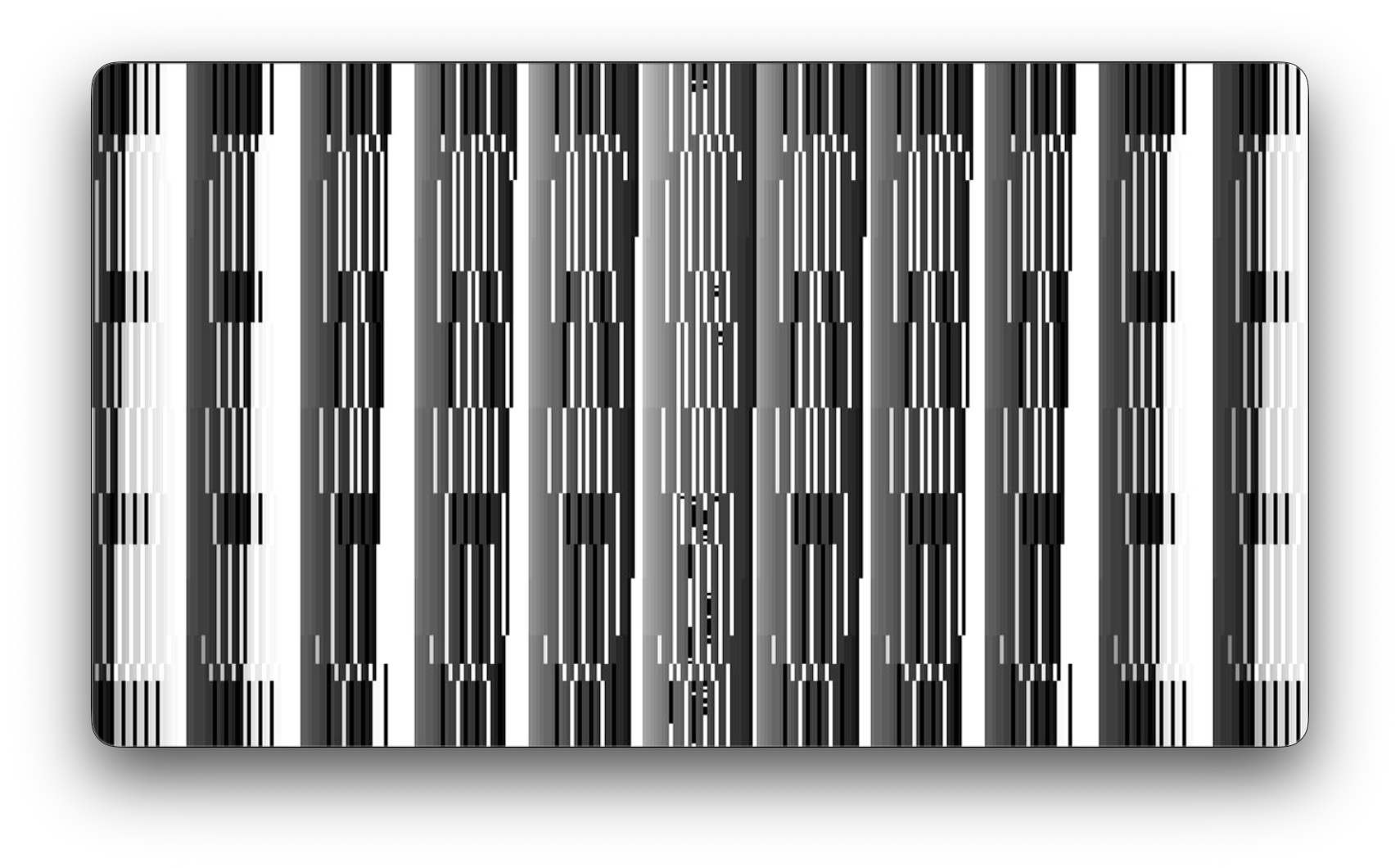
One or more lines wobble back and forth within a bounding box due to the out-of-phase offsets of the x coordinates of the top and bottom point of the line.
void wobblyLines() {
  // display.fillScreen(0);

  int copies = potMap(0, 1, 7);
  int xRange = 15; //center +/- 15 = segment width of 30... about 11 copies in 320px
  int xWidth = xRange * 2;
  float phaseOffset = potMap(1, 0, 360)/360.0;
  int period = potMap(2, 5, 1) * 1000;
  int c = potMap(3, 0, 255);

  int x0 = HALFW + floor(sin(normalizedTime(period, 0) * TWO_PI) * xRange);
  int x1 = HALFW + floor(sin(normalizedTime(period, phaseOffset) * TWO_PI) * xRange);
  display.drawLine(x0, 0, x1, H, c);

  //draw copies, if any
  if (copies > 1) {
    for (int i = 1; i < copies; i++) {
      x0 = HALFW + (i * xWidth) + floor(sin(normalizedTime(period, i * phaseOffset) * TWO_PI) * xRange);
      x1 = HALFW + (i * xWidth) + floor(sin(normalizedTime(period, (i + 1) * phaseOffset) * TWO_PI) * xRange);
      display.drawLine(x0, 0, x1, H, c);

      x0 = HALFW - (i * xWidth) + floor(sin(normalizedTime(period, i * phaseOffset) * TWO_PI) * xRange);
      x1 = HALFW - (i * xWidth) + floor(sin(normalizedTime(period, (i + 1) * phaseOffset) * TWO_PI) * xRange);
      display.drawLine(x0, 0, x1, H, c);
    }
  }
}
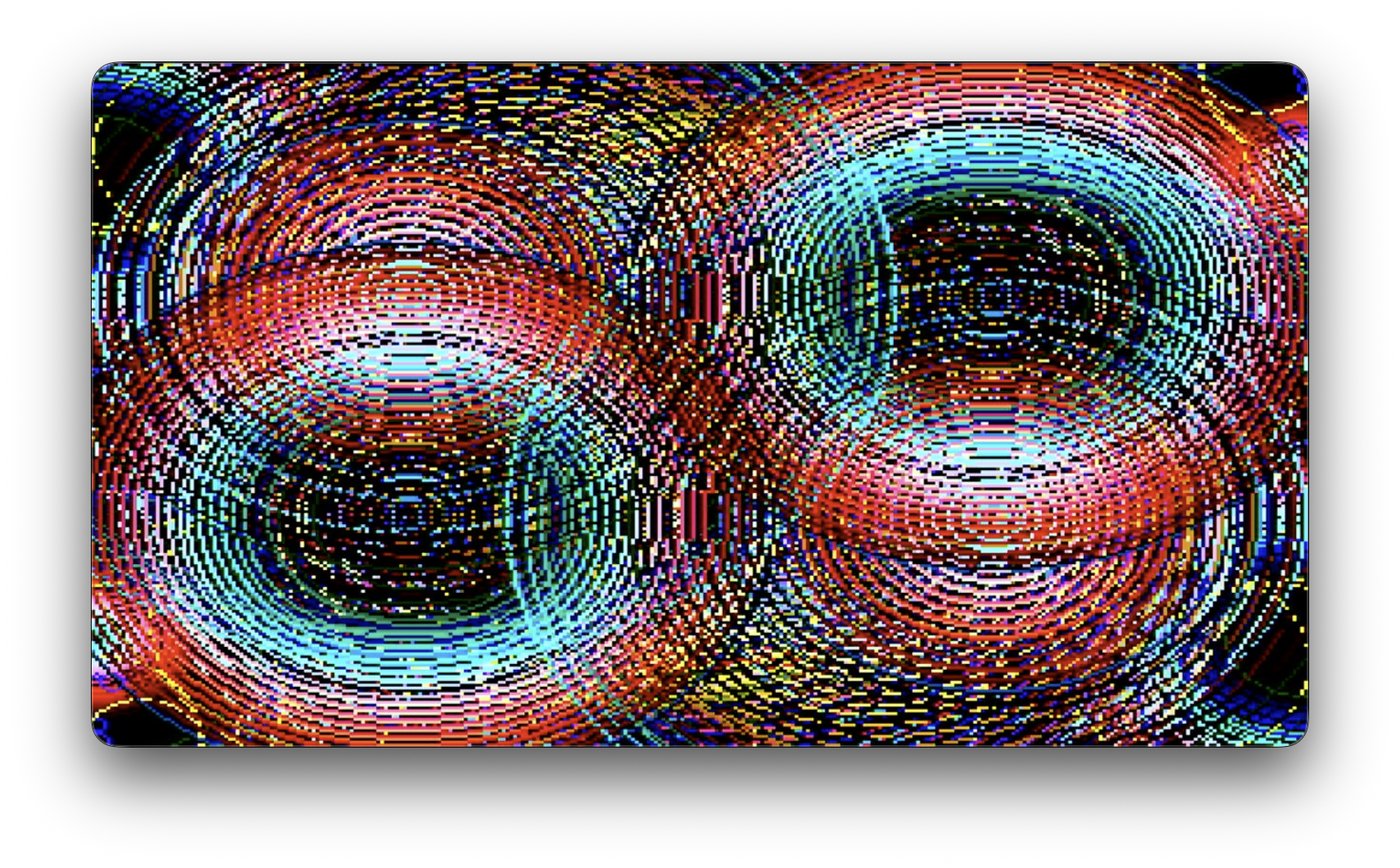
Expanding circles
Two pairs of circles oscillate in radius. The positions of these circles are controlled with layered cyclical mapping macros since we have more parameters to control than knobs at our disposal.
void expandingCircles() {
  // pairs of circles with opposing motion and position
  int xOffset = cyclicalPotMap(0, 3, 0, 0, HALFW);
  int yOffset = cyclicalPotMap(1, 3, 0, 0, HALFH);

  int period0 = potMap(2, 100, 10) * 100;
  int period1 = potMap(3, 100, 10) * 100;

  int rMax0 = cyclicalPotMap(0, 4, 0, 40, HALFW);
  int rMax1 = cyclicalPotMap(1, 4, 0.5, 40, HALFW);

  int c = floor(normalizedTime(period1, 0) * 255);

  int r0 = floor(normalizedTime(period0, 0) * rMax0) + 1;
  int r1 = floor(normalizedTime(period0, 0.5) * rMax1) + 1;

  // First pair (notice opposing offset signs?)
  display.drawCircle(HALFW + xOffset, HALFH - yOffset, r0, c);
  display.drawCircle(HALFW - xOffset, HALFH + yOffset, r0, c);
  // Second pair
  display.drawCircle(HALFW + xOffset, HALFH + yOffset, r1, c);
  display.drawCircle(HALFW - xOffset, HALFH - yOffset, r1, c);
}
Gradient grid
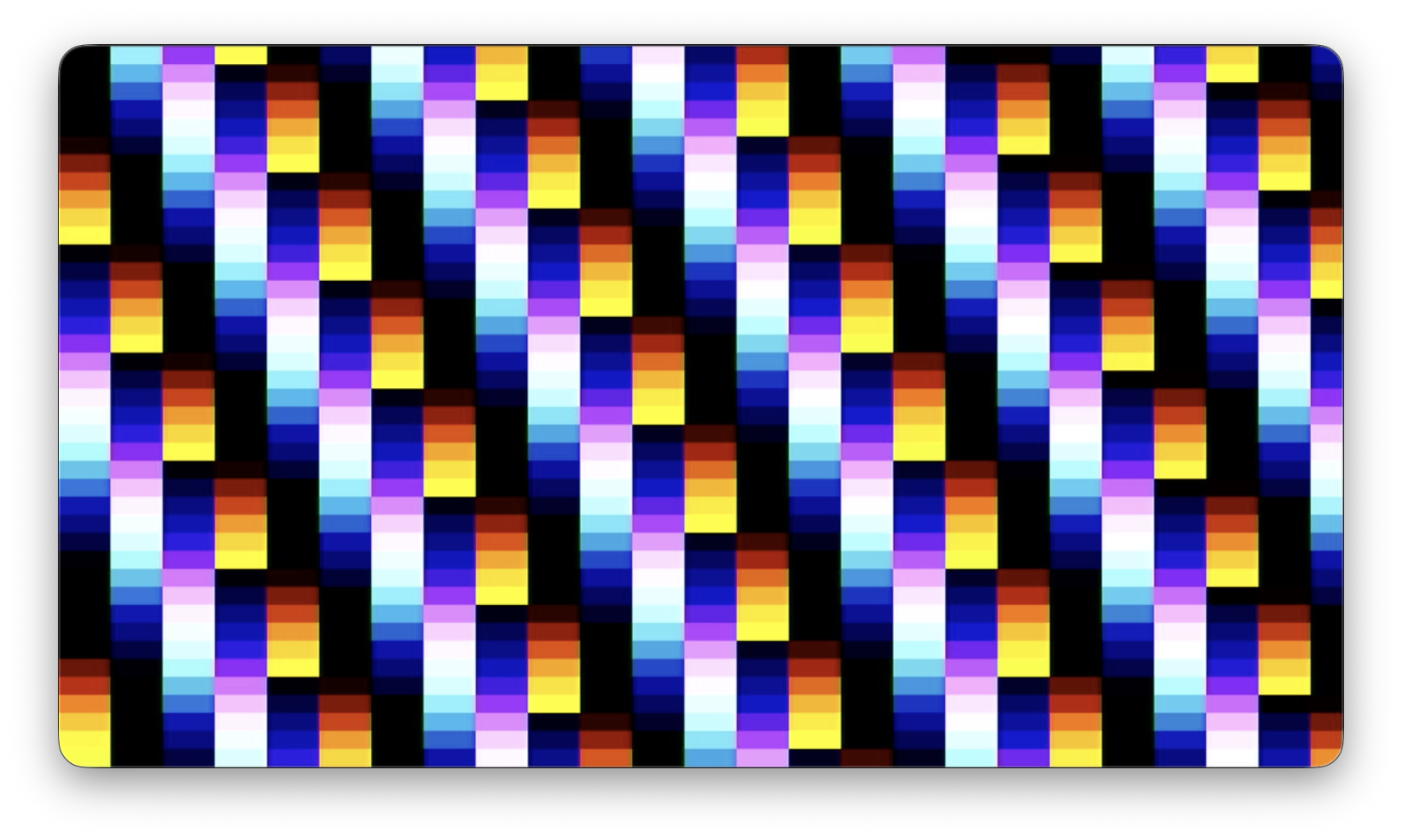
A variable number of rows and columns create a grid of rectangles with a fill color that gets offset by position in the grid and time. A concise function with many surprising moments!
void gradientGrid() {
  // This one has a gap at the end of the rows because of the rounding errors
  int numRows = potMap(0, 1, 64);
  int numCols = potMap(1, 1, 64);
  int rw = ceil((float)W/numCols);
  int rh = ceil((float)H/numRows);

  int index = 0;
  int c = 0;
  int firstC = (millis() / 10) % 254 + 1;
  int iGap = potMap(2, 0, 255);
  int jGap = potMap(3, 0, 255);

  double period = 500.0 + 1000;

  for (int i = 0; i < numCols; i++) {
    for (int j = 0; j < numRows; j++) {
      c = (firstC + (i * iGap) + (j * jGap)) % 254 + 1;

      display.fillRect(i * rw, j * rh, rw, rh, c);
    }
  }
}
Reflected Rects
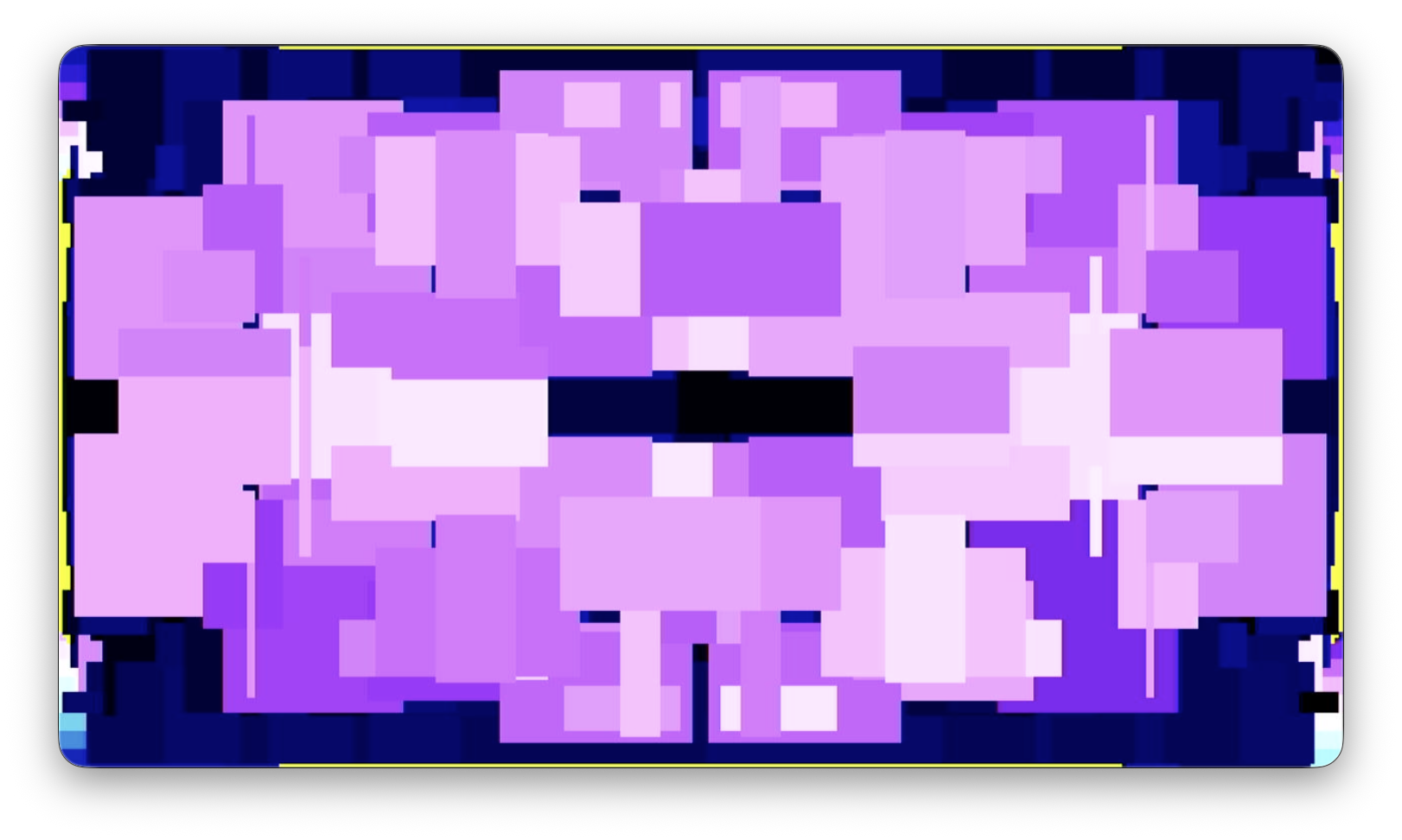
Rectangles reflected across vertical and horizontal boundaries create graphic compositions. Uses the randomseed() function to control the pace of random position updates.
void reflectedRects() {
  // slow down the pace of random updates
  // by only allowing new random values once per second
  randomSeed(millis() / 1000);

  // our constraints for the randomness
  int widthLimit = potMap(0, 1, HALFW/2);
  int heightLimit = potMap(1, 1, H/2);
  int quantity = potMap(2, 1, 10);
  int c = potMap(3, 0, 255-20);

  for (int i = 0; i < quantity; i++) {
    int rw = random(1, widthLimit);
    int rh = random(1, heightLimit);
    int x = random(W - rw);
    int y = random(H - rh);

    display.fillRect(x, y, rw, rh, c + random(20));
    display.fillRect(W - x - rw, H - y - rh, rw, rh, c + random(20));
    display.fillRect(W - x - rw, y, rw, rh, c + random(20));
    display.fillRect(x, H - y - rh, rw, rh, c + random(20));
  }
}
Bloom
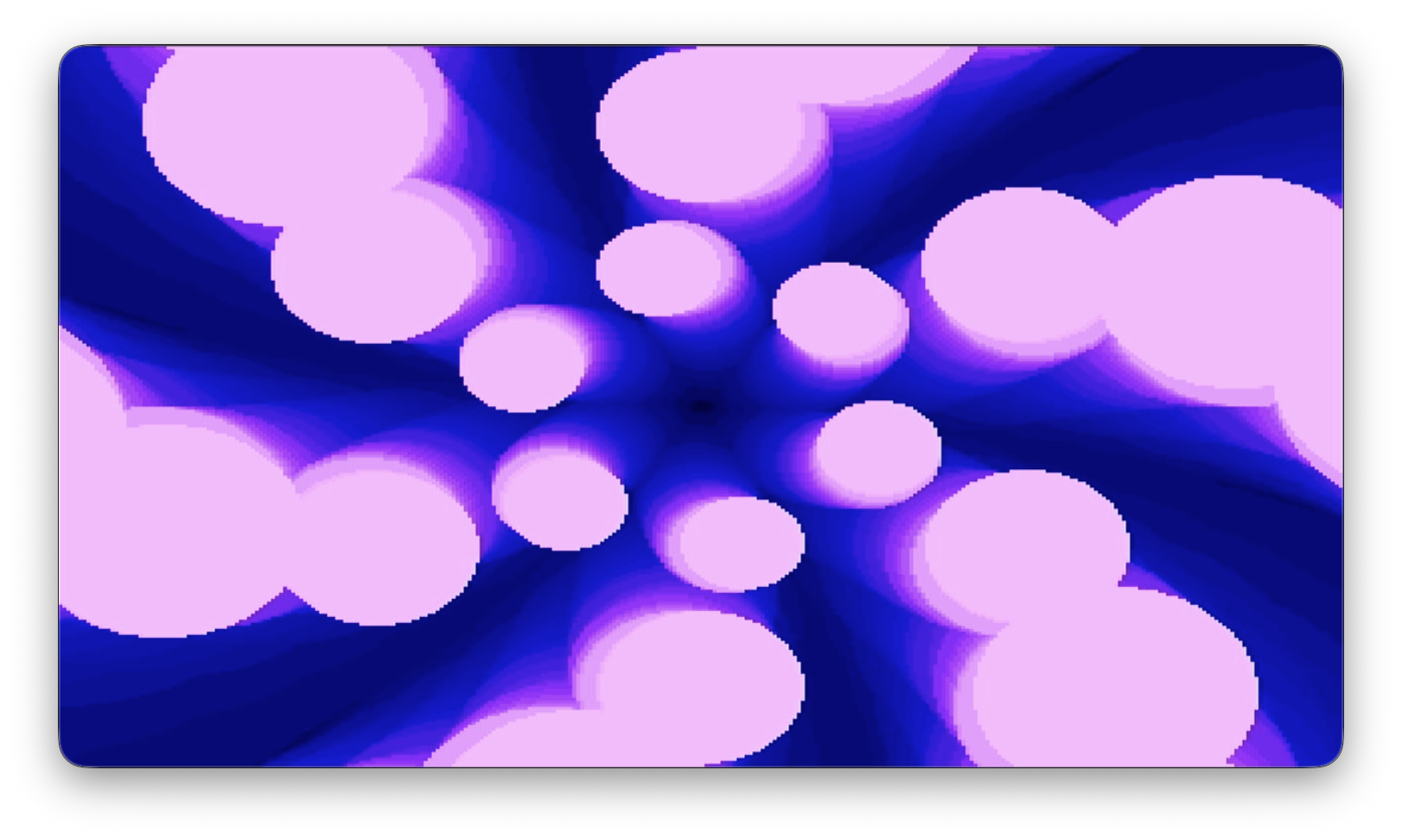
Rings of circles oscillate in radius, rotation, and color for endless blooms of color and shape.
void bloom() {
  int petals = potMap(0, 2, 16);
  int levels = potMap(1, 1, 16);
  int rBase = potMap(2, 2, 24);
  float rGrowth = cyclicalPotMap(3, 2, 0, 1, 100)/10.0f;

  float gap = sineTime(4000, 0) * cyclicalPotMap(0, 3, 0, 1, 80);
  float spiral = sineTime(4500, 0) * ((float)cyclicalPotMap(1, 3, 0, 1, 100)/100.0f);
  float offset = sineTime(5700, 0) * ((float)cyclicalPotMap(2, 3, 0, 1, 100)/100.0f);

  int cBase = 0;
  int cPeriod = potMap(3, 300, 30) * 100;
  int cOffset = floor(sineTime(cPeriod, 0) * 255);
  // int color = constrain(cBase + cOffset, 0, 255);
  int color = (cBase + cOffset) % 256;

  int cx = 0;
  int cy = 0;
  int cr = 0;

  for (int i = 0; i < petals; i++) {
    for (int j = 1; j <= levels; j++) {
      cx = floor(HALFW + (sin((float(i) / float(petals)) * TWO_PI + (j * spiral + offset) * TWO_PI) * (j * gap)));
      cy = floor(HALFH + (cos((float(i) / float(petals)) * TWO_PI + (j * spiral + offset) * TWO_PI) * (j * gap)));
      cr = floor(rBase + (j * rGrowth));
      display.fillCircle(cx, cy, cr, color);
    }
  }
}
Bitmaps & text
These example use bitmap graphics. Several of these examples use the "spark" bitmaps I created in class, and one uses the video gem logo. Here are those bitmaps if you'd like to use them — copy both of these text snippets into your bitmaps.h file!
If you want to create your own bitmaps, you can use image2cpp to convert various image types into this char array format.
Sample bitmaps
// 'Video gem logo small', 32x24px
const unsigned char epd_bitmap_Video_gem_logo_small [] PROGMEM = {
	0xff, 0xff, 0xff, 0xff, 0x80, 0x00, 0x00, 0x01, 0x80, 0x00, 0x00, 0x01, 0x80, 0x00, 0x00, 0x01,
	0x80, 0x61, 0x80, 0x01, 0x9b, 0x07, 0x9c, 0x71, 0x9b, 0x6d, 0xb6, 0xd9, 0x9b, 0x6d, 0xbe, 0xd9,
	0x9b, 0x6d, 0xb0, 0xd9, 0x9a, 0x6d, 0xb2, 0xd9, 0x9c, 0x67, 0x9c, 0x71, 0x80, 0x00, 0x00, 0x01,
	0x80, 0x00, 0x00, 0x01, 0x8f, 0x39, 0xec, 0x01, 0x9b, 0x6d, 0xb6, 0x01, 0x9b, 0x7d, 0xb6, 0x01,
	0x9b, 0x61, 0xb6, 0x01, 0x9b, 0x65, 0xb6, 0x01, 0x8f, 0x39, 0xb6, 0x01, 0x93, 0x00, 0x00, 0x01,
	0x8e, 0x00, 0x00, 0x01, 0x80, 0x00, 0x00, 0x01, 0x80, 0x00, 0x00, 0x01, 0xff, 0xff, 0xff, 0xff
};
// 'Spark 01', 17x17px
const unsigned char epd_bitmap_Spark_01 [] PROGMEM = {
	0x00, 0x00, 0x00, 0x00, 0x00, 0x00, 0x00, 0x00, 0x00, 0x00, 0x00, 0x00, 0x00, 0x00, 0x00, 0x00,
	0x80, 0x00, 0x00, 0x80, 0x00, 0x00, 0x80, 0x00, 0x07, 0x70, 0x00, 0x00, 0x80, 0x00, 0x00, 0x80,
	0x00, 0x00, 0x80, 0x00, 0x00, 0x00, 0x00, 0x00, 0x00, 0x00, 0x00, 0x00, 0x00, 0x00, 0x00, 0x00,
	0x00, 0x00, 0x00
};
// 'Spark 02', 17x17px
const unsigned char epd_bitmap_Spark_02 [] PROGMEM = {
	0x00, 0x00, 0x00, 0x00, 0x00, 0x00, 0x00, 0x00, 0x00, 0x00, 0x00, 0x00, 0x01, 0x40, 0x00, 0x00,
	0x80, 0x00, 0x00, 0x80, 0x00, 0x08, 0x08, 0x00, 0x06, 0x30, 0x00, 0x08, 0x08, 0x00, 0x00, 0x80,
	0x00, 0x00, 0x80, 0x00, 0x01, 0x40, 0x00, 0x00, 0x00, 0x00, 0x00, 0x00, 0x00, 0x00, 0x00, 0x00,
	0x00, 0x00, 0x00
};
// 'Spark 03', 17x17px
const unsigned char epd_bitmap_Spark_03 [] PROGMEM = {
	0x00, 0x00, 0x00, 0x00, 0x00, 0x00, 0x00, 0x00, 0x00, 0x02, 0x20, 0x00, 0x02, 0xa0, 0x00, 0x00,
	0x80, 0x00, 0x18, 0x8c, 0x00, 0x00, 0x00, 0x00, 0x0e, 0x38, 0x00, 0x00, 0x00, 0x00, 0x18, 0x8c,
	0x00, 0x00, 0x80, 0x00, 0x02, 0xa0, 0x00, 0x02, 0x20, 0x00, 0x00, 0x00, 0x00, 0x00, 0x00, 0x00,
	0x00, 0x00, 0x00
};
// 'Spark 04', 17x17px
const unsigned char epd_bitmap_Spark_04 [] PROGMEM = {
	0x00, 0x00, 0x00, 0x00, 0x00, 0x00, 0x06, 0x30, 0x00, 0x06, 0xb0, 0x00, 0x00, 0x80, 0x00, 0x30,
	0x86, 0x00, 0x30, 0x06, 0x00, 0x01, 0x40, 0x00, 0x1c, 0x1c, 0x00, 0x01, 0x40, 0x00, 0x30, 0x06,
	0x00, 0x30, 0x86, 0x00, 0x00, 0x80, 0x00, 0x06, 0xb0, 0x00, 0x06, 0x30, 0x00, 0x00, 0x00, 0x00,
	0x00, 0x00, 0x00
};
// 'Spark 05', 17x17px
const unsigned char epd_bitmap_Spark_05 [] PROGMEM = {
	0x18, 0x8c, 0x00, 0x18, 0x8c, 0x00, 0x00, 0x00, 0x00, 0xc0, 0x01, 0x80, 0xcc, 0x99, 0x80, 0x0c,
	0x98, 0x00, 0x00, 0x00, 0x00, 0x00, 0x00, 0x00, 0xcc, 0x99, 0x80, 0x00, 0x00, 0x00, 0x00, 0x00,
	0x00, 0x0c, 0x98, 0x00, 0xcc, 0x99, 0x80, 0xc0, 0x01, 0x80, 0x00, 0x00, 0x00, 0x18, 0x8c, 0x00,
	0x18, 0x8c, 0x00
};
// 'Spark 06', 17x17px
const unsigned char epd_bitmap_Spark_06 [] PROGMEM = {
	0x10, 0x84, 0x00, 0x00, 0x00, 0x00, 0x00, 0x00, 0x00, 0x80, 0x80, 0x80, 0x08, 0x88, 0x00, 0x00,
	0x00, 0x00, 0x00, 0x00, 0x00, 0x00, 0x80, 0x00, 0x99, 0x4c, 0x80, 0x00, 0x80, 0x00, 0x00, 0x00,
	0x00, 0x00, 0x00, 0x00, 0x08, 0x88, 0x00, 0x80, 0x80, 0x80, 0x00, 0x00, 0x00, 0x00, 0x00, 0x00,
	0x10, 0x84, 0x00
};

// Array of all spark bitmaps for convenience. (Total bytes used to store images in PROGMEM = 480)
const int spark_bitmap_array_LEN = 6;
const unsigned char* spark_bitmap_array[6] = {
	epd_bitmap_Spark_01,
	epd_bitmap_Spark_02,
	epd_bitmap_Spark_03,
	epd_bitmap_Spark_04,
	epd_bitmap_Spark_05,
	epd_bitmap_Spark_06
};
Random Sparks
Draw a selected bitmap from the array of sparks bitmaps in a selected color to random locations on screen.
void randomSparks() {
  // display.fillScreen(0);

  int bitmap = potMap(0, 0, 6);
  int xRange = potMap(1, 0, W);
  int yRange = potMap(2, 0, H);
  int c = potMap(3, 0, 256);

  int x = HALFW + random(xRange) - (xRange/2);
  int y = HALFH + random(yRange) - (yRange/2);

  for (int i = 0; i < 10; i++) {
    display.drawBitmap(x, y, spark_bitmap_array[bitmap], 17, 17, c);
  }
}
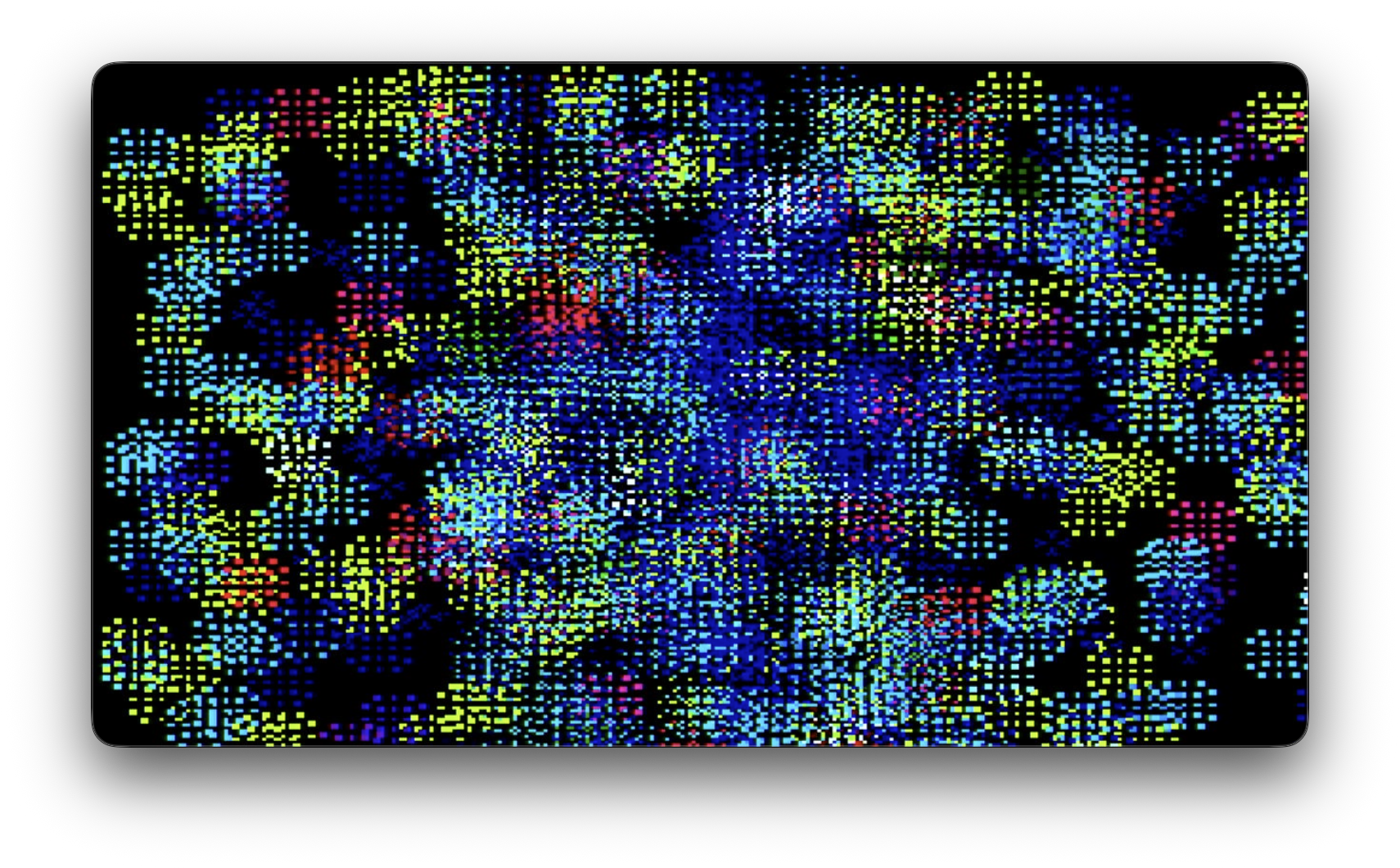
Animated Sparks
Use the spark bitmaps as an animated sequence that we oscillate back and forth through, with phase offsets to the animation frame and color that is set by the grid. Kind of like gradientGrid() but for bitmaps!
void animatedSpark() {
  display.fillScreen(0);

  for (int i = 0; i < 16; i++) {
    for (int j = 0; j < 12; j++) {
      int x = i * 20;
      int y = j * 20;

      float xPhaseIncrement = potMap(0, 0, 21) / 20.0;
      float yPhaseIncrement = potMap(1, 0, 21) / 20.0;
      float phaseOffset = i * xPhaseIncrement + j * yPhaseIncrement;
      int bitmapIndex = floor(pingPongTime(1000, phaseOffset) * 5); // 0-5

      int xColorIncrement = potMap(2, 0, 256);
      int yColorIncrement = potMap(3, 0, 256);
      int c = (i * xColorIncrement + j * yColorIncrement) % 255;

      display.drawBitmap(x, y, spark_bitmap_array[bitmapIndex], 17, 17, c);
    }
  }
}
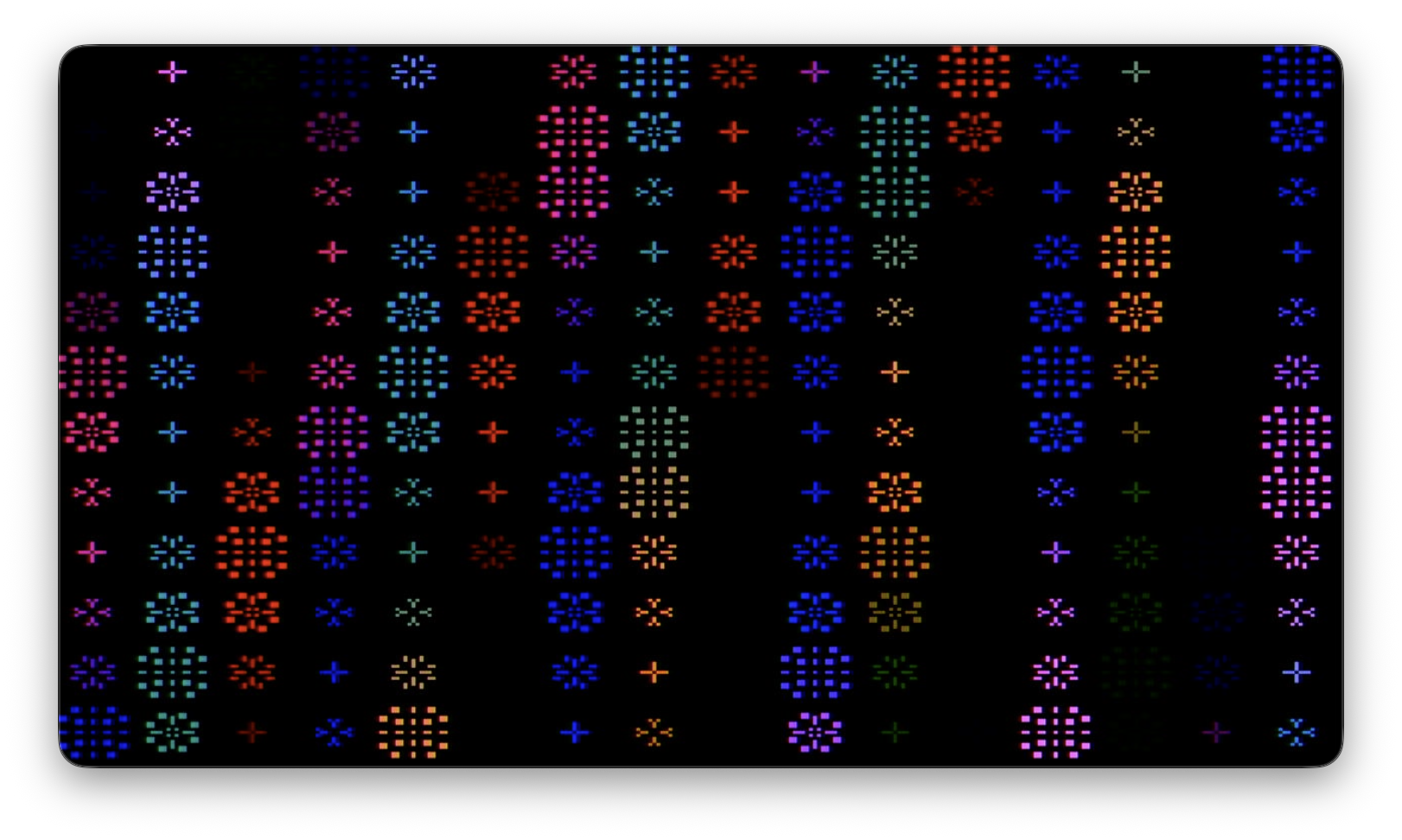
Spark brush
Use the spark bitmap as a brush for a painterly effect on a curving lissajous pattern defined by an x period and a y period.
void sparkBrush() {
  // display.fillScreen(0);

  int xPeriod = potMap(0, 50, 10) * 100;
  int yPeriod = potMap(1, 50, 10) * 100;
  int bitmap = potMap(2, 0, 6);
  int c = potMap(3, 0, 256);

  int x = floor(sineTime(xPeriod, 0.5) * HALFW) + HALFW;
  int y = floor(sineTime(yPeriod, 0) * HALFH) + HALFH;

  display.drawBitmap(x - 8, y - 8, spark_bitmap_array[bitmap], 17, 17, c);
}
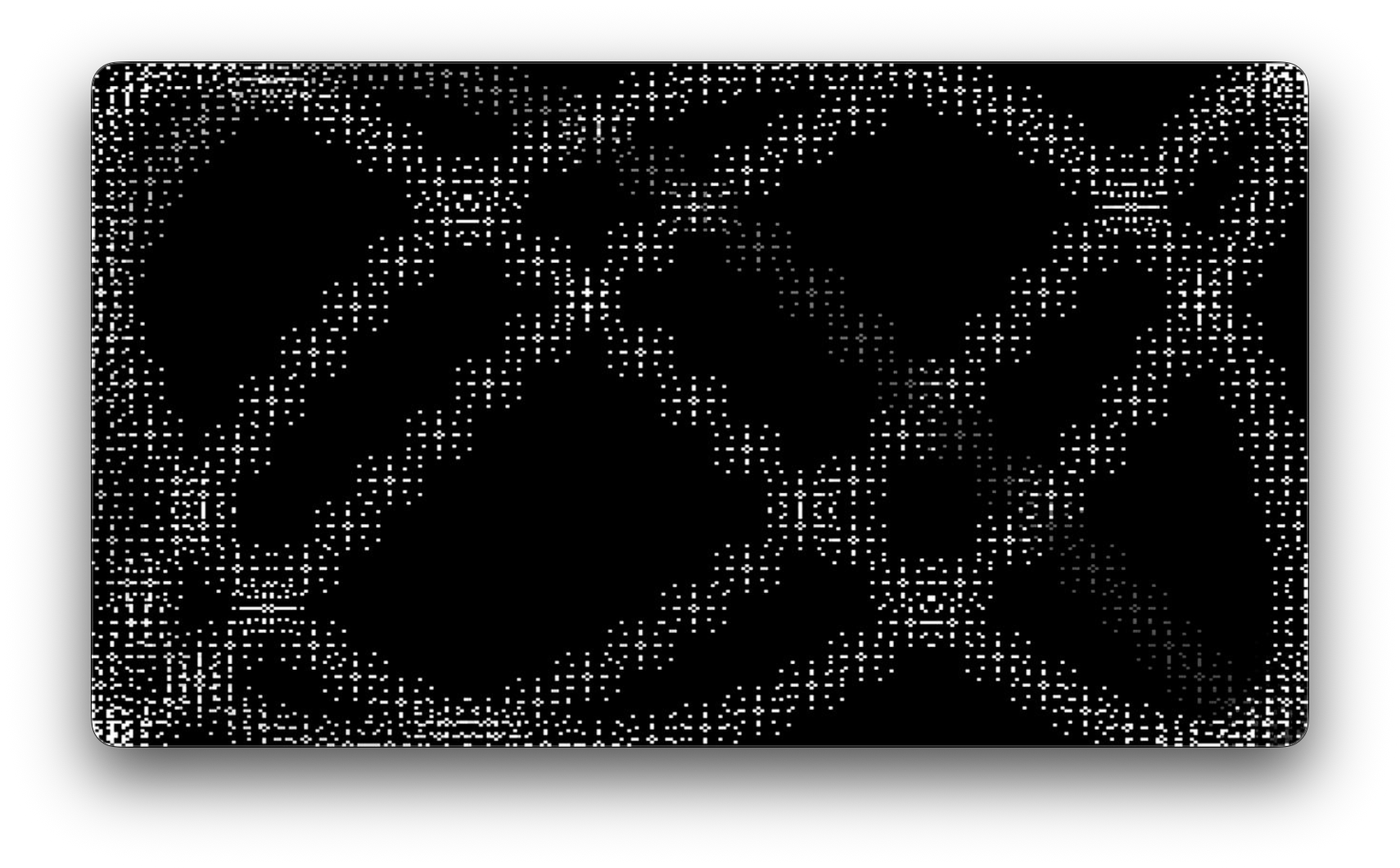
Scaled logo
Draw a big bitmap in the middle of the screen. Not really a video synth program but maybe useful for a boot screen or something :) This function is also dependent on a helper function, included below.
void scaledLogo() {
  display.fillScreen(0);
  int scale = 3;
  int w = 32;
  int h = 24;
  int x = HALFW - (w * scale)/2;
  int y = HALFH - (h * scale)/2;

  drawScaledBitmap(x, y, epd_bitmap_Video_gem_logo_small, w, h, scale, 255);
}

void drawScaledBitmap(int x, int y, const unsigned char* bitmap, int w, int h, int scale, int color) {
  for (int row = 0; row < h; row++) {
    for (int col = 0; col < w; col++) {
      int bitIndex = row * w + col;
      uint8_t byte = pgm_read_byte(&bitmap[bitIndex / 8]);
      bool lit = (byte >> (7 - (bitIndex % 8))) & 1;
      display.fillRect(x + col * scale, y + row * scale, scale, scale, lit ? color : 0);
    }
  }
}

void drawScaledBitmapWithTransparency(int x, int y, const unsigned char* bitmap, int w, int h, int scale, int color) {
  for (int row = 0; row < h; row++) {
    for (int col = 0; col < w; col++) {
      int bitIndex = row * w + col;
      uint8_t byte = pgm_read_byte(&bitmap[bitIndex / 8]);
      bool lit = (byte >> (7 - (bitIndex % 8))) & 1;
      if (lit) {
        display.fillRect(x + col * scale, y + row * scale, scale, scale, color);
      }
    }
  }
}
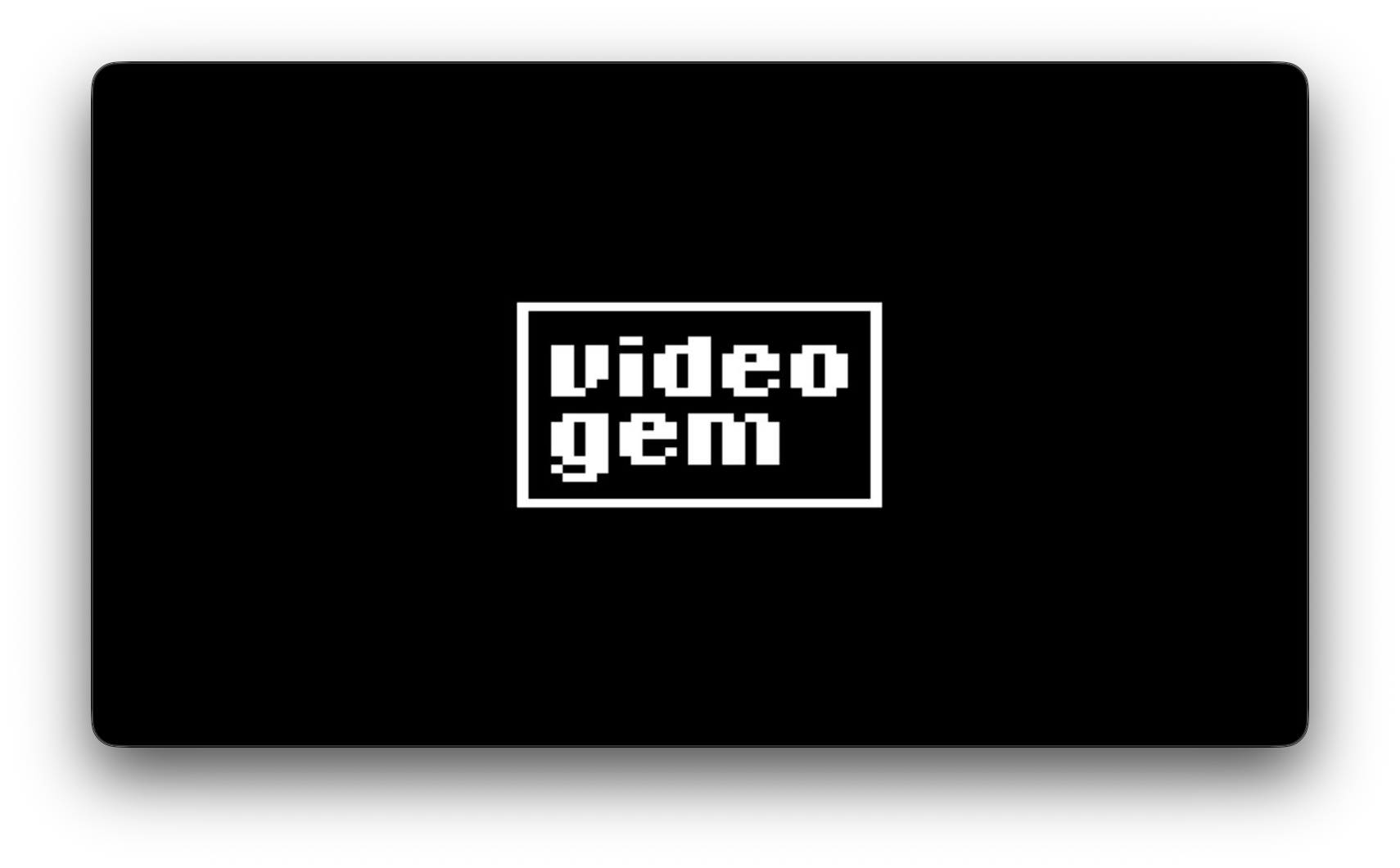
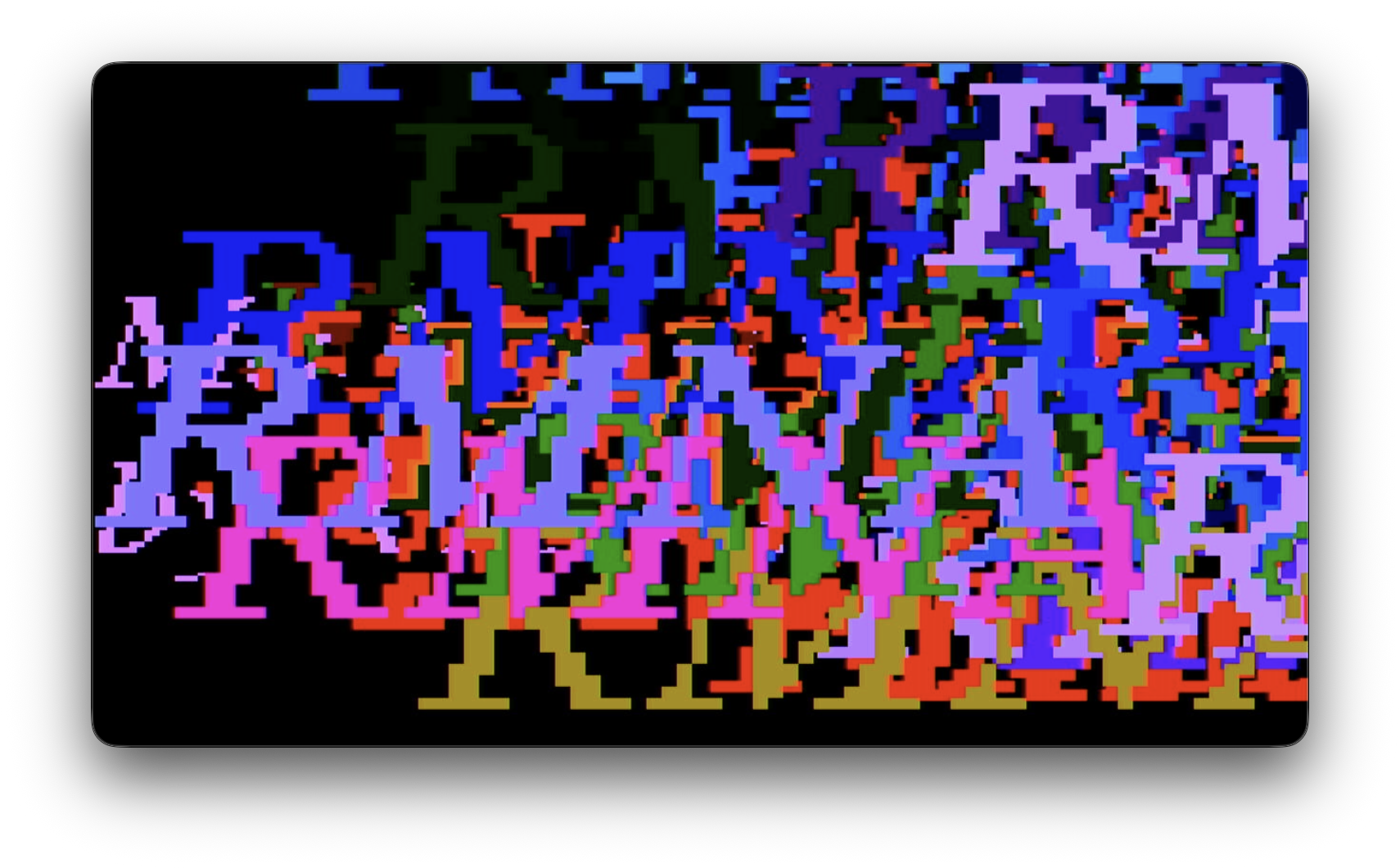
Moving words
Draw some text to the screen in a custom font at random locations with controllable color, size, and update rate.
void movingWords() {
  display.setFont(&FreeSerifItalic12pt7b);
  display.setTextWrap(false);

  int period = potMap(0, 50, 5) * 100;
  randomSeed(millis() / period);

  int x = random(W);
  int y = random(H);

  int widthMultiple = potMap(1, 1, 5);
  int heightMultiple = potMap(2, 1, 5);
  int c = potMap(3, 0, 256);


  display.setCursor(x, y);
  display.setTextColor(c);
  display.setTextSize(widthMultiple, heightMultiple);

  display.print("RMNA");
}
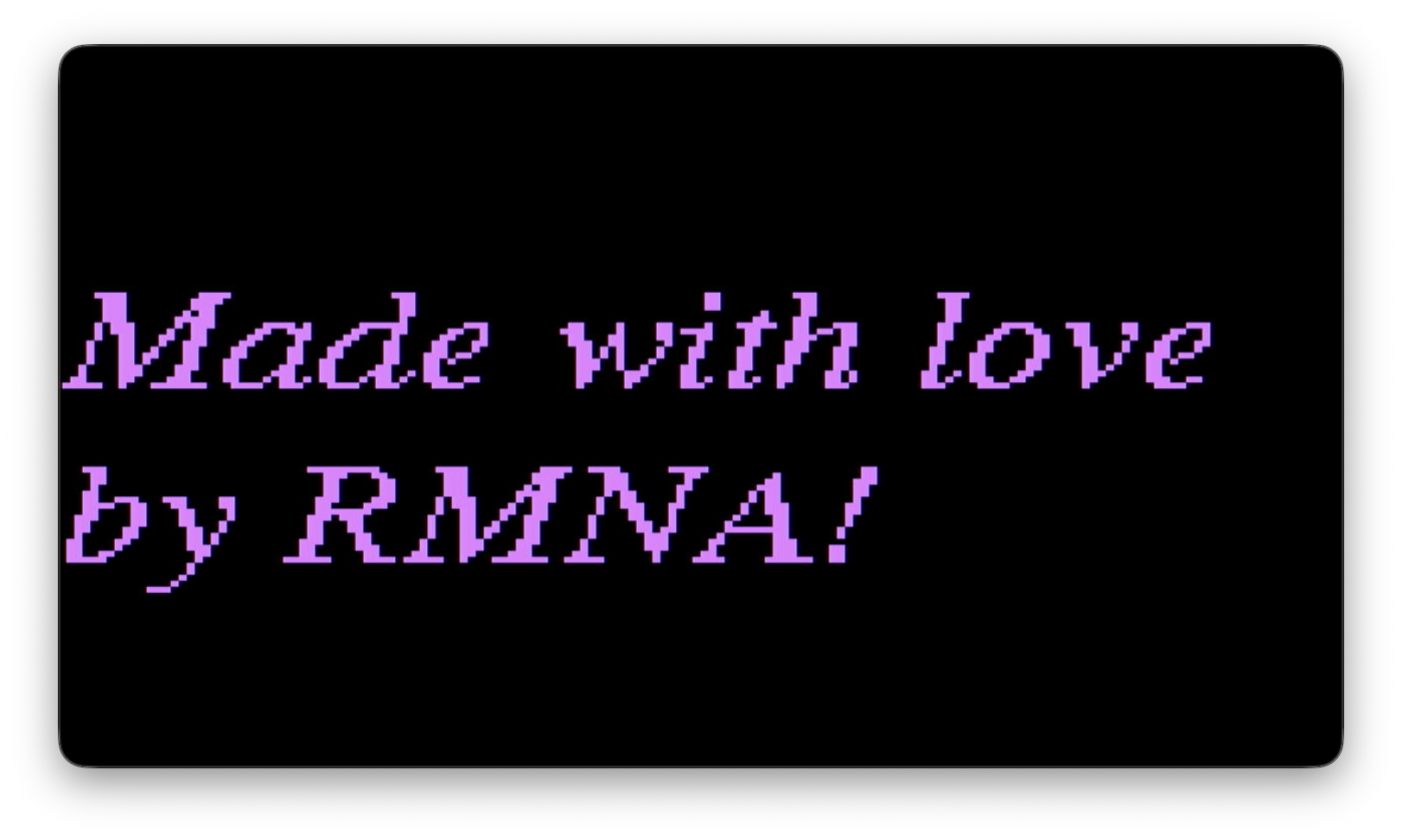
Simple sentence
Draw a longer string to text to demonstrate how it wraps automatically.
void simpleSentence() {
  display.fillScreen(0);
  display.setFont(&FreeSerifItalic12pt7b);
  display.setTextWrap(true);

  int x = potMap(0, 0, W);
  int y = potMap(1, 0, H);
  int sizeMultiple = potMap(2, 1, 5);
  int c = potMap(3, 0, 256);


  display.setCursor(x, y);
  display.setTextSize(sizeMultiple);
  display.setTextColor(c);

  display.print("Made with love by RMNA!");
}
void blinkyDots() {
  if (millis() % 1000 > 500) {
    display.fillCircle(80, 60, 40, 255);
  }
  if (millis() % 750 > 300) {
    display.fillCircle(240, 60, 40, 255);
  }
  if (millis() % 290 > 100) {
    display.fillCircle(80, 180, 40, 255);
  }
  if (millis() % 3000 > 2000) {
    display.fillCircle(240, 180, 40, 255);
  }
}
void randomCircle() {
  // This is a hack to get a random value that only updates every so often
  // instead of every time this function is called
  // The random seed provides a predictable starting point for the randomness!
  randomSeed(millis() / 500);

  int x = random(W);
  int y = random(H);
  int r = random(10, 50);

  display.fillCircle(x, y, r, 255);
}